What you need before installing.
Blender 5.1.1 or newer
Any build of Blender 5.1.1+ on Windows (x64) or macOS (Apple Silicon).
A photo
Any format Blender reads. Front-facing, well lit, no motion blur — that is the whole magic recipe.
An ARKit-rigged character
Shape keys named after the standard 52 ARKit channels. Marketplace rigs, MetaHuman exports, Rigify — all fair game.
Four clicks, one zip.
Download the zip
From your Super Hive Market account. Do not unzip — Blender installs it as-is.
Blender → Install from Disk
Edit → Preferences → Get Extensions → top-right ⌄ menu → Install from Disk.
Pick the zip & restart
Select the zip you downloaded and confirm. Restart Blender once when prompted.
One photograph in, one performance out.
No pose libraries, no sculpting shape keys by hand, no export round-trips. ImageRig lives in your sidebar: the photograph is the direction, the add-on is the performance.
See it move.
Same rig. Same scene. One photograph in between.
Every image below is one Generate + Apply press: the result of directing your character with a single photograph — nothing else touched.
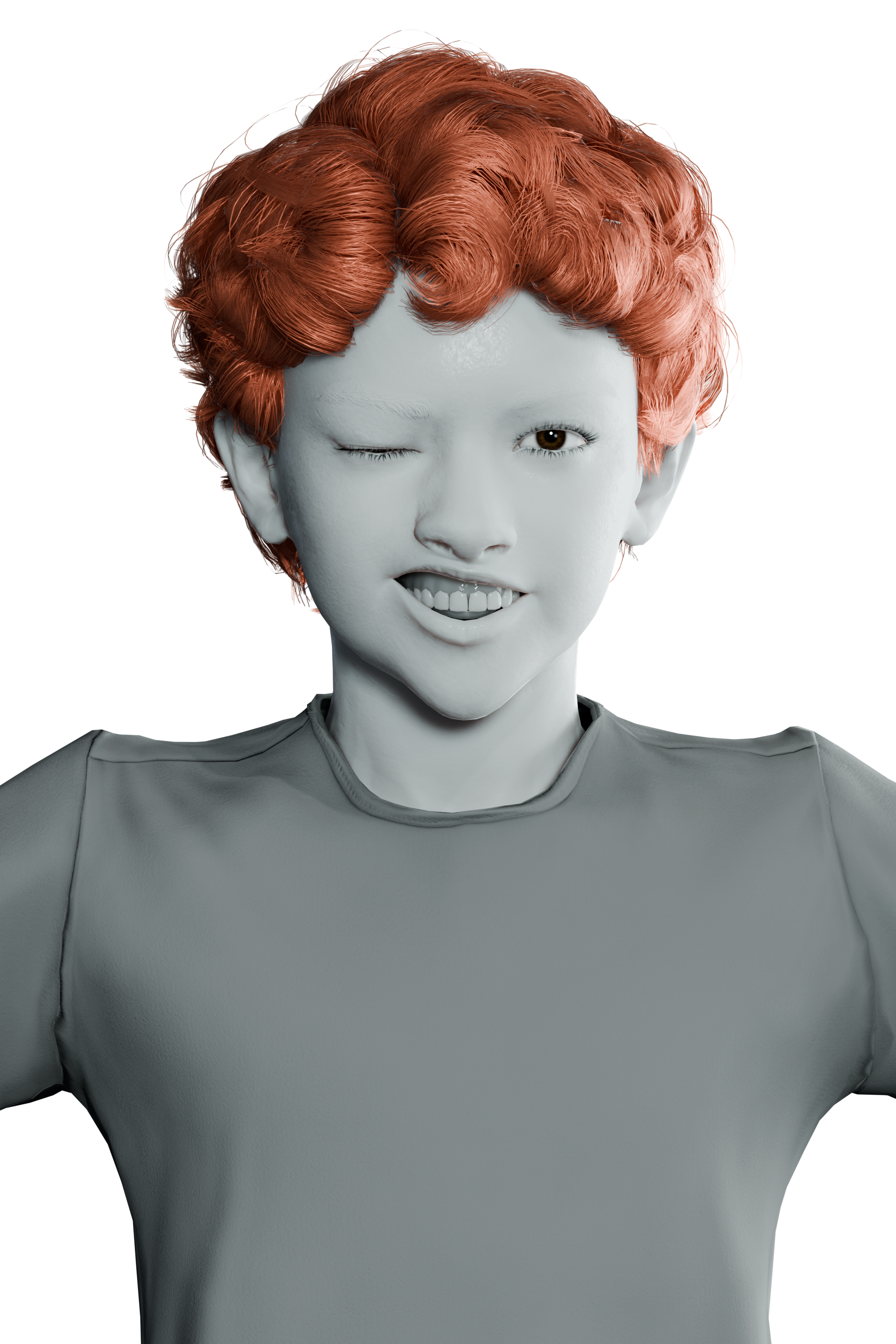
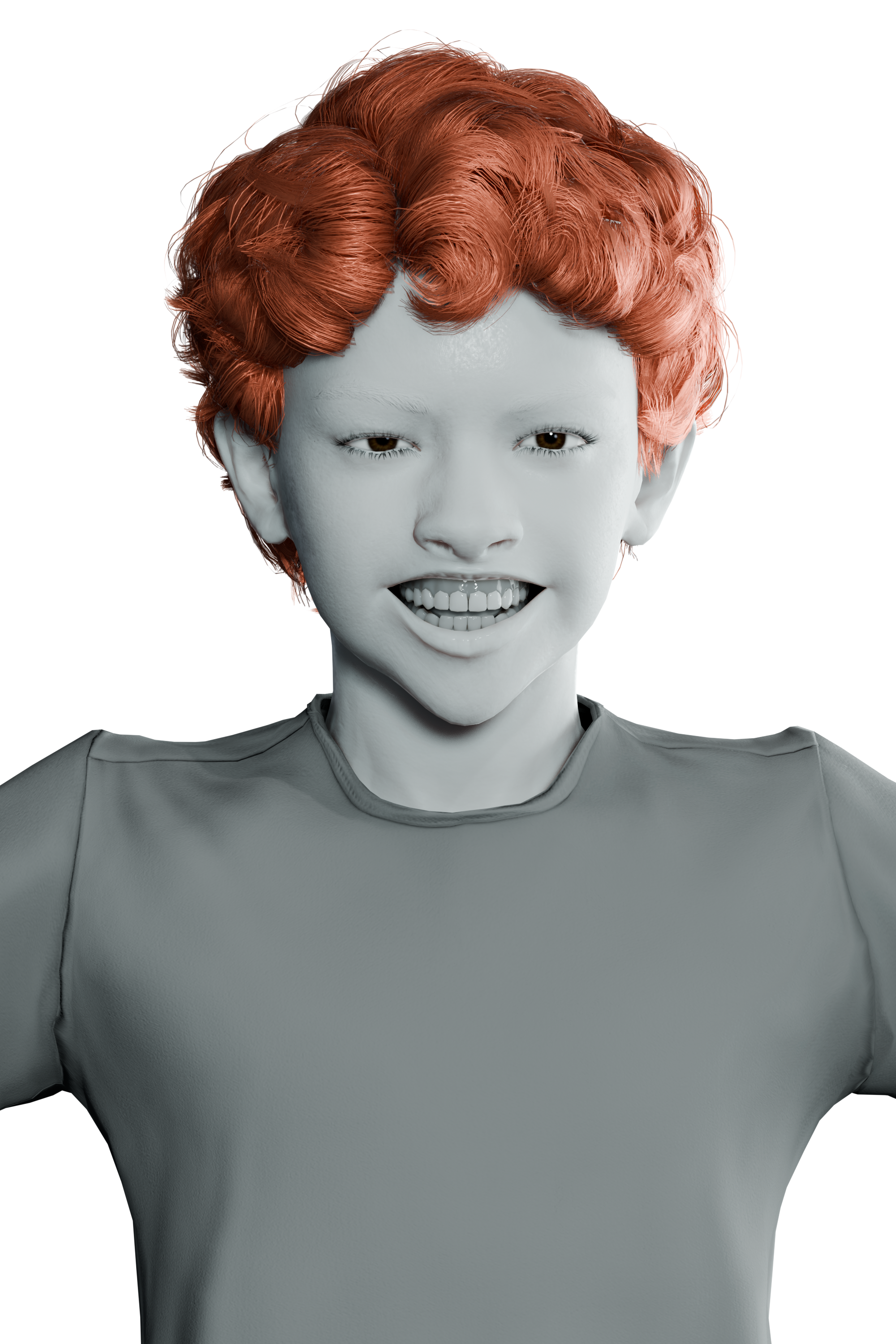
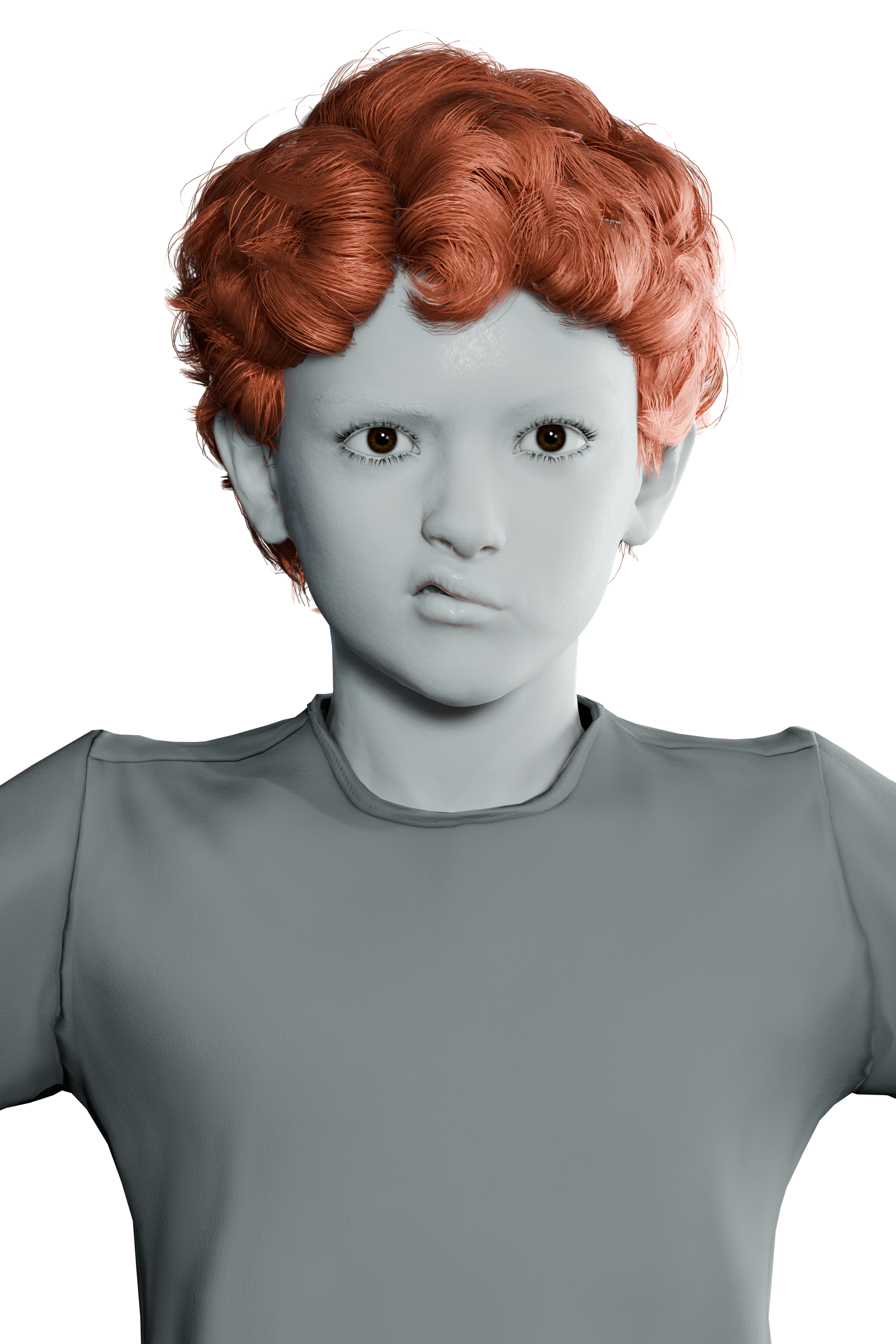
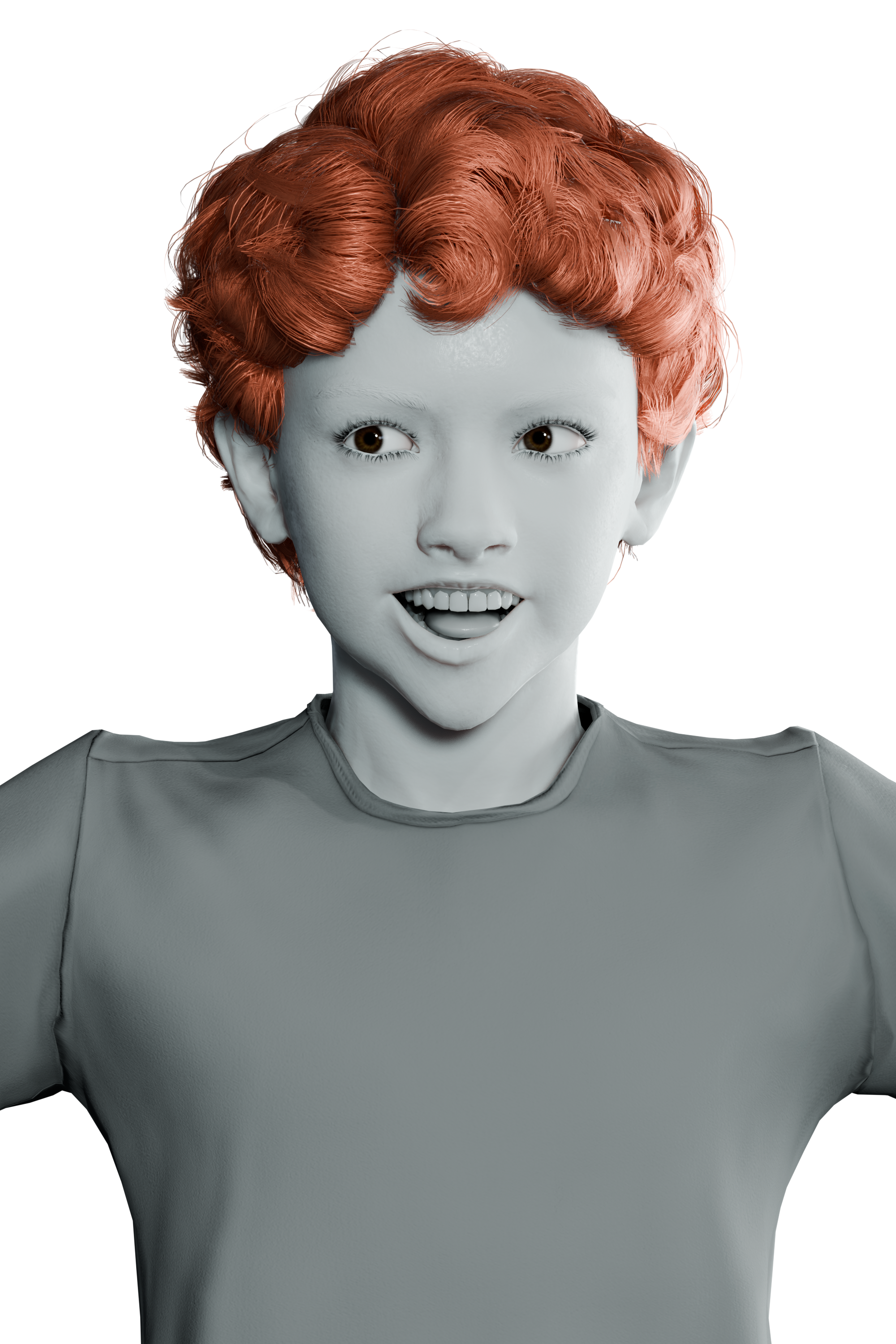
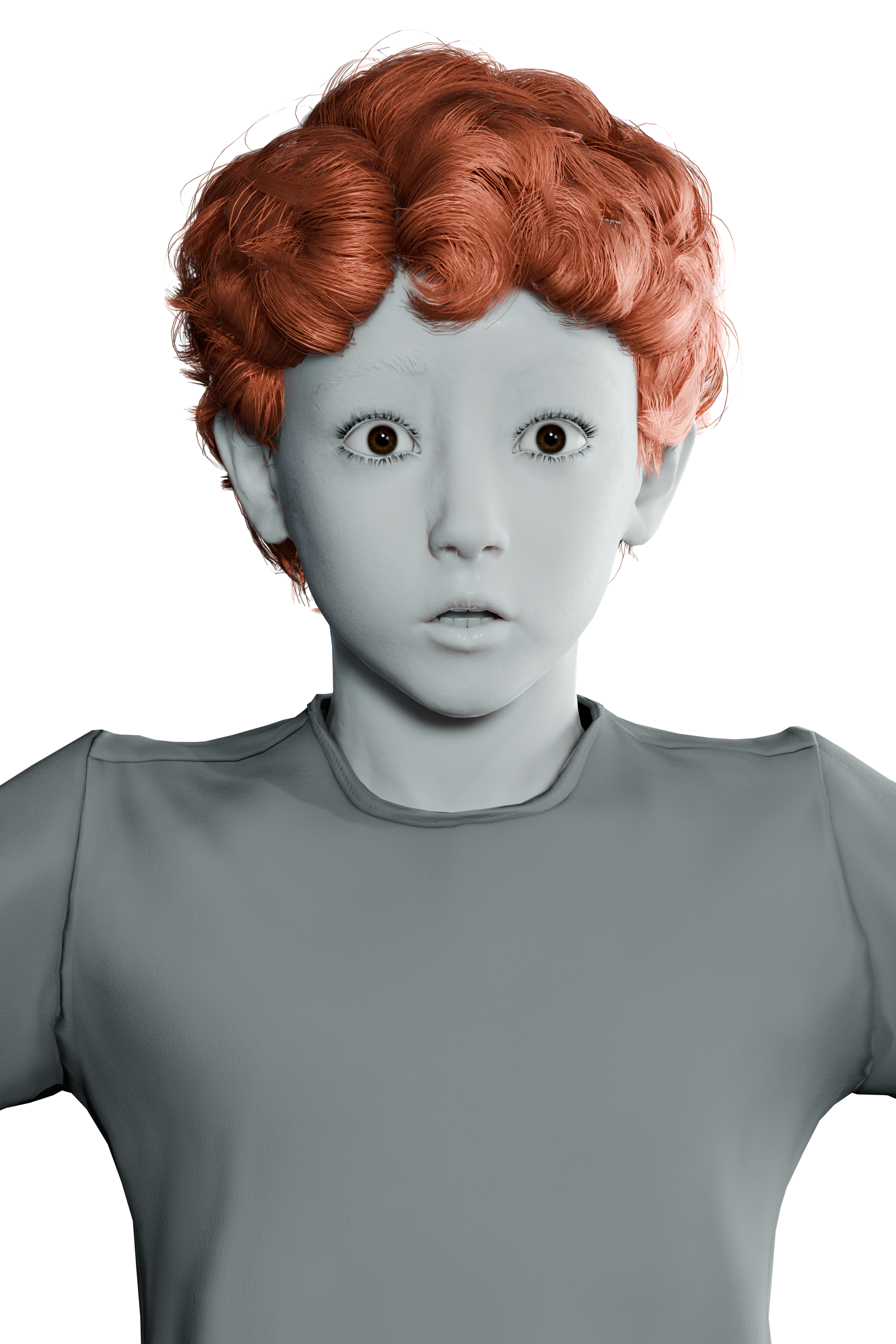
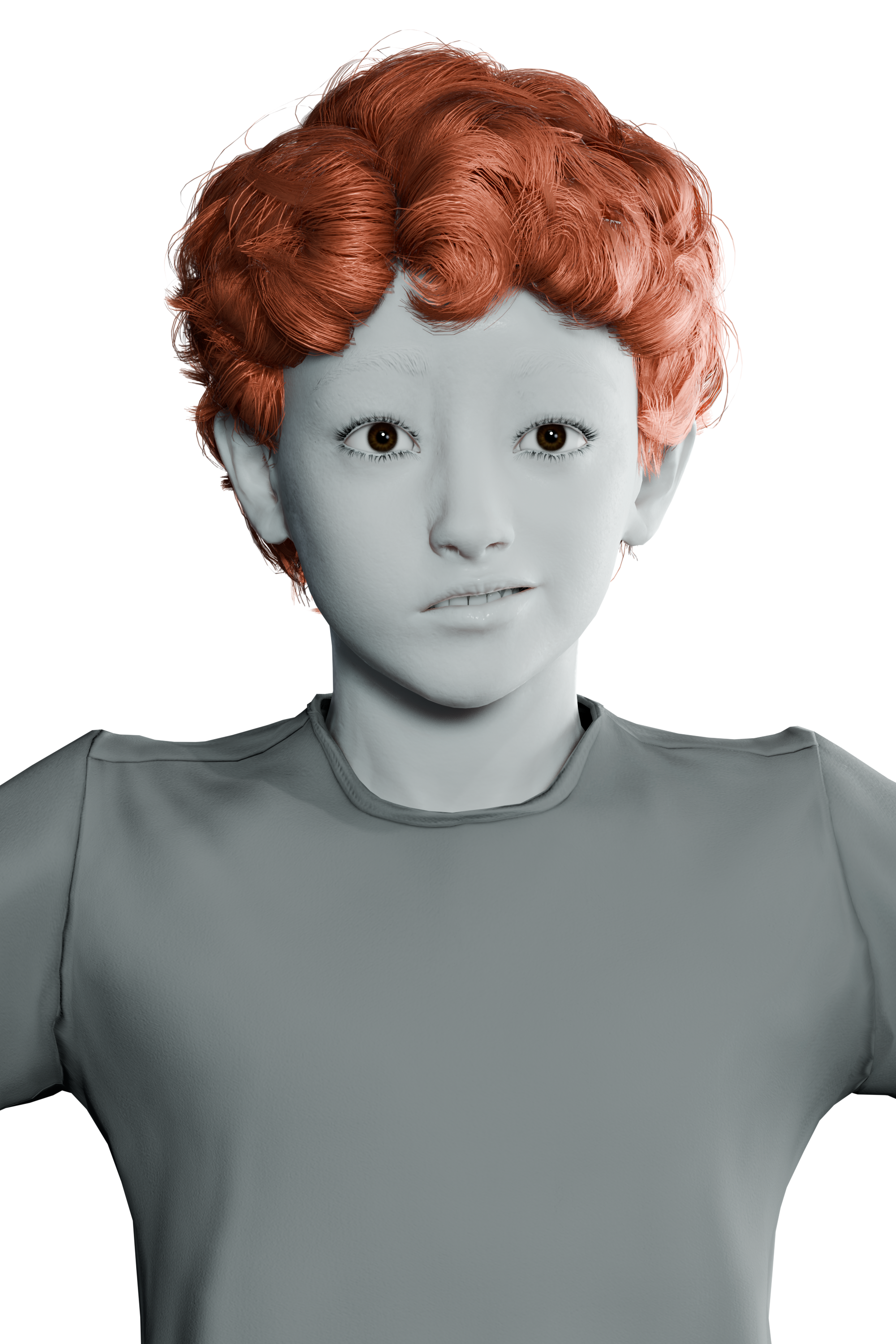
One face, six takes — every card is the result of one Generate + Apply press from a different photograph.
What it covers — and what stays manual.
ImageRig drives the ARKit 52 set from a single photograph, and that set describes a fair range of facial expression — not every expression a face can make. Knowing where the range ends is the difference between a tool you will love and a tool that disappoints.
✓ Where it shines
Smiles (broad, subtle, asymmetric), frowns, brow raises and lowers, squints, surprise, jaw open, cheek raises, mouth corners in every direction, sneers, eye-look directions. Proof of concepts, previz and production work that stays inside this range.
~ Needs a hand
Near-twin expressions read almost the same to the engine (smirk vs gentle smile, disgust vs nose sneer, fear vs surprise at low intensity) and actor-grade nuance will need polish. Best workflow: generate your particular smile, then refine it to taste — results are standard, fully editable shape keys.
✗ Not automatic
Tongue expressions: tongueOut is one of the 52 keys, but the engine never reports a meaningful value for it — key the tongue by hand after generating the mouth pose. Corrective shapes (lip/eyelid collision fixes) are rigging territory, out of scope by design.
Fair rule of thumb: ImageRig takes you from zero to roughly 70–90% instantly; the last mile is yours — exactly as it would be with any photograph-driven capture system. A great proof-of-concept tool, a great starting point, and a time-saver on productions that respect its range.
Every control, explained.
The panel lives in the 3D View sidebar (N) under the ImageRig tab, and every property carries a ? toggle that expands a plain-language explanation in place — you never have to guess what a parameter does.
📷 Source Image
The photograph whose expression you want. Any format Blender reads: JPG, PNG, TIFF, BMP, TGA, WebP, EXR. A live preview appears under the picker — stored in memory only, never saved into your .blend.
🔍 Rig Discovery — who receives the expression
| Control | What it does |
|---|---|
| Target | The mesh whose shape keys receive the coefficients. Only meshes are listed. |
| Include Children | Also applies to meshes parented under the target — eyes, teeth, tongue, jaw helpers (on by default). |
| Scan Whole Scene | Ignores parenting and applies to every mesh in the file carrying ARKit shape keys — made for rigs that ship each face part as a separate, unparented object. |
| Require All ARKit 52 | Strict mode: the run fails instead of applying a partial result if any of the 52 is missing. |
| Scan Rig | Dry-run report: how many of the 52 ARKit shape keys exist on the current targets, and which are missing. Changes nothing. |
🎲 Apply Options — how the values land
Every generation is baked as real keyframes on every present ARKit shape key: the result survives timeline moves, renders and file reloads even on channels that were already animated, and stays fully editable in the Graph Editor.
| Control | What it does |
|---|---|
| Action Name | Base name for the shape-key actions ImageRig bakes. Each object gets its own action <base>_<object>, so bakes of different meshes stay separate in the Action editor. |
| Start Frame | Frame where the pose keyframes are baked. The scene moves there after Generate + Apply, so the viewport shows exactly what is stored. |
| Threshold | Coefficients below this value are written as exactly zero — the engine's zero is never quite zero, so the threshold silences micro-noise. 0.001 is literal; 0.02–0.05 is a useful noise floor. |
| Max Resolution | The photo is downscaled so its longest edge is at most this size before analysis. 1024 is a good default; larger values are slower and rarely improve results. |
🎤 Animation Data — baked, safe, portable
| Control | What it does |
|---|---|
| Restore Previous Animation | Every bake snapshots the curves it is about to overwrite. A worse take — or a bake over a hand-made animation — is one click away from being undone. |
| Export Animation | Writes the current bake to a portable .json, one entry per ARKit channel, sampled frame by frame. The file stores channel names, not scene references: re-apply it later, on another mesh, or read it with external tools. |
| Import Animation | Bakes a previously exported file onto the current targets as dense keyframes, matched by ARKit name. AudioRig animation exports import too — takes baked by ImageRig's big-brother add-on land on any ARKit rig. |
An optional quality pipeline, one checkbox away.
Off (default), the photo runs through the engine once and the values land unchanged. On, four extra stages run — and a quality readout appears under the controls after every run.
① Capture Quality Checks
Inspects the geometry of the detected face before your rig is touched: head turn (the most common silent failure), face size in frame, partial tracking. Warnings never block a run — they are advice, shown in the panel and the Info header.
Neutral Photo (optional)
A second photo of the same person, relaxed face. Its resting values are subtracted from the expression, so only the change the expression introduces reaches the rig — resting-face bias is removed. Values clamp at zero: it can only remove, never add.
Samples (1–5)
The photo is analyzed N times through slightly different zoom framings and the results merge per coefficient by median. Genuine expression appears in every framing; crop-dependent noise does not. 1 disables it, 3 is recommended, 5 is the cleanest — the whole run still completes in well under a second.
Calibration presets
Per-rig correction curves that compensate known systematic biases: some coefficient families consistently under-report (eye widen, nose sneer, brow down) and the eye-look family tends to overshoot.
| Preset | For |
|---|---|
| Default | first run, baseline — raw values |
| Realistic | human-like rigs: boosts under-reported families, trims eye-look ~15% |
| Stylized | cartoon / anime: bigger brows and smiles, calmer eyes |
| Subtle | close-ups, quiet acting: compresses overall intensity |
If your rig speaks ARKit, you are done.
MetaHuman exports, Rigify face rigs with ARKit keys, marketplace head rigs: if the shape keys use the standard 52 ARKit names, ImageRig finds them and fills them. Shape-key names are matched with a normalizer that tolerates common variants (jaw_open, JawOpen, jawOpen), so rigs from different DCC pipelines usually just work.
✓ Best with the full ARKit 52
MetaHuman exports, Rigify face rigs, marketplace head rigs with the standard naming.
Partial rigs work too
Only the shape keys that exist receive values; the rest are skipped — or fail the run, in strict mode. Scan Rig tells you exactly what is missing before you generate.
👀 Eyes, teeth & tongue included
Covered when they are parented under the target (Include Children) or discovered by Scan Whole Scene.
Quick answers to quick problems.
| Symptom | Cause & fix |
|---|---|
| "No mesh with shape keys found" | Set a Target, enable Include Children, or turn on Scan Whole Scene. Run Scan Rig to verify the mesh has shape keys. |
| "None of the target meshes carries ARKit-named shape keys" | The rig uses non-ARKit names. Rename or add the missing shape keys — Scan Rig lists what is missing. |
| "No face could be detected in the image" | No clear frontal-enough face, or the face is tiny. Use a closer crop. |
| "Expression engine not available" | The extension was installed incompletely. Remove it and install the zip again from Disk. |
| The expression leans to one side | The head is turned in the photo. Enable Advanced Processing → Capture Quality Checks to confirm, and pick a more frontal photo. |
| Ghost values on unrelated shape keys | Raise the Threshold slightly and enable Advanced Processing (Samples + Neutral Photo). |
| Eyes look cross-eyed | Try the Realistic or Stylized calibration preset. |
| Results change slightly between identical runs | Enable Advanced Processing with Samples ≥ 3 — the median stabilizes the output. |
| Blender crashed during repeated generations (versions < 0.4.1) | Fixed in 0.4.1: image handling was moved fully onto Blender's main thread. Update the extension. |
Your photos never leave Blender.
ImageRig is fully offline: photos never leave your computer, and there are no accounts, telemetry, downloads or phone-home of any kind. The face engine and every component ship inside the extension.
Before you ask.
Does it animate?
Does it work with my non-ARKit rig?
Does it create shape keys?
Where does the analysis run?
Is my photo stored in the .blend?
Why is the package ~180 MB?
Can it do tongue-out expressions?
tongueOut exists in the ARKit set, but the engine never reports a meaningful value for it. Generate the mouth pose, then key the tongue by hand (see Scope & honest limits).