Read the User Documentation first β€” check system requirements (Windows; NVIDIA GPU + CUDA + TensorRT for the A2F engine β€” CPU engines included for everyone else; macOS arm64 experimental, untested, buyer's own risk) and see the exact workflow before you buy.

DocsΒ β†’

Launch Discount Ends In:

13Days
23Hours
36Mins
36Secs

For Blender 5 Β· Windows Β· GPU optional

Your characters, talking.
Minutes, not days.

AudioRig turns any voice recording into lip-synced, emotional facial animation β€” baked onto your own character, right inside Blender. No head? GNM creates one for you.

Buy AudioRigWatch it work

AudioRig

Lip sync shouldn't be the hard part.

Hand-keying 52 facial shapes per second of dialogue is where scenes go to die. AudioRig reads your audio and writes the performance for you β€” lips, tongue, emotion, even the eyes' little darts of life.

52 ARKit channelsAny audio formatOne click to bake
Audio β†’ Shape Keys β†’ Performance

From voice to performance
in four clicks.

Drop in an audio file β€” or write it with the built-in TTS tab. AudioRig runs inference locally (your NVIDIA GPU when present, your CPU otherwise), writes 52 ARkit shape-key curves to your character, and hands you a scrubable timeline. No cloud, no subscriptions, no per-minute fees.

The emotional layer reads tone and energy from the audio β€” not just phonemes. Whisper, shout, laugh: the face follows the feeling.

Built on Google's GNM head model and optimized with TensorRT for real-time inference. Windows 10/11, Blender 5.1.1+ β€” NVIDIA GPU for the A2F engine, CPU engines included for everyone else. Apple Silicon Macs: CPU tabs theoretically work (untested β€” buyer's own risk).

Get AudioRig β€” $20

Audio2Face Β· Audio2Emotion

Feed it a voice. Get a performance.

REAL DIALOGUE. REAL EMOTION. BAKED IN MINUTES.

Pick audio, run inference, scrub the timeline. Three engines β€” one flagship on NVIDIA GPU, two running on plain CPU β€” no keyframes, no cleanup, just the voice.

RealΒ scenes.

Scene 01
(A2F Β· GNM generated head)

The flagship engine on a GNM head. Blink, gaze, jaw and emotion land on the first pass β€” the most refined performance, straight from the voice track.

Scene 02
(UniTalker Β· Faceit character)

A custom hero rigged in Faceit, animated by UniTalker on the CPU β€” no NVIDIA GPU in this machine. Full 52-channel performance in about a second per take.

Scene 03
(SAiD Β· close-up mouth study)

The SAiD diffusion engine doing what it does best: pure mouth realism. Jaw, lips and cheeks in exceptionally natural motion β€” also running on plain CPU.

Scene 04
(Wave2ARKit Β· full-face speed run)

The newest CPU engine: full ARKit 52 from audio in a single ultra-light pass β€” about 45 ms of compute per second of audio. A 15 second take bakes in under a second.

Scene 05
(UnLip Β· 60 fps specialist)

Seven engines deep: UnLip animates the full 52 ARKit channels at sixty frames per second natively β€” HuBERT-Large audio understanding meets fluid temporal detail, all on plain CPU.
The next one could be yours.

See the workflow β†’

GNM Head Generator

Meet GNM: a cast of infinite heads.

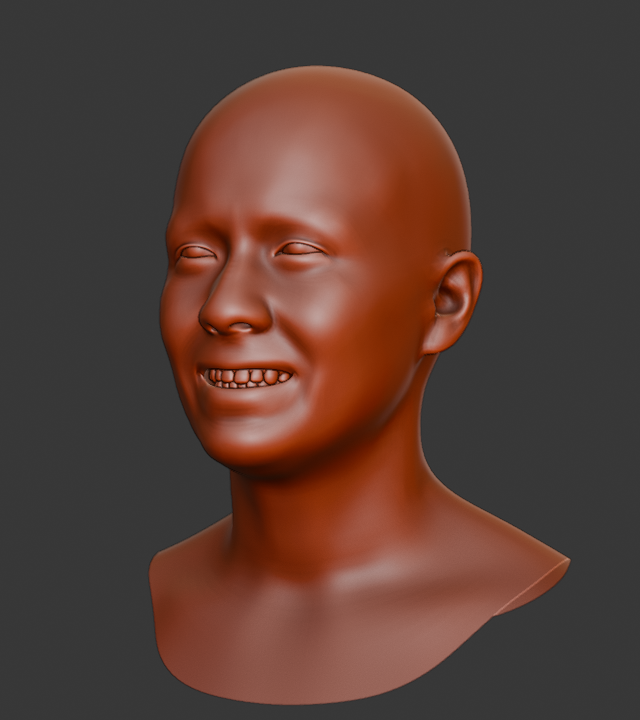
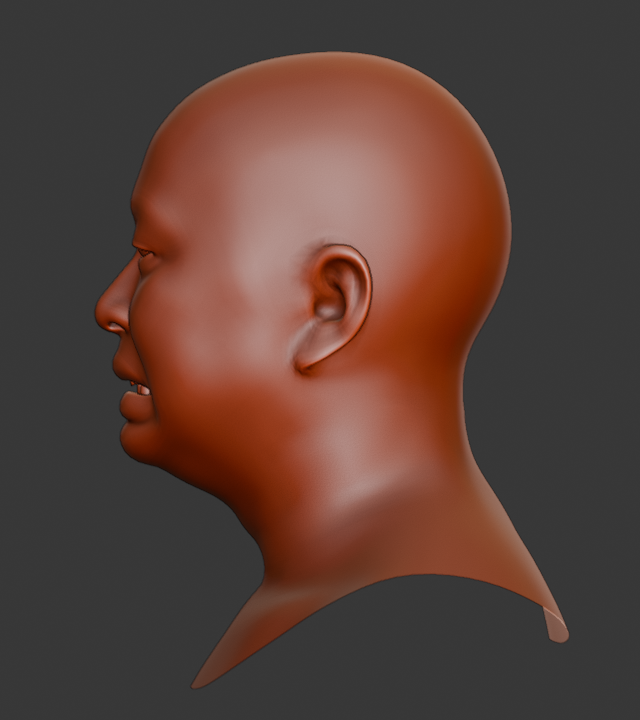
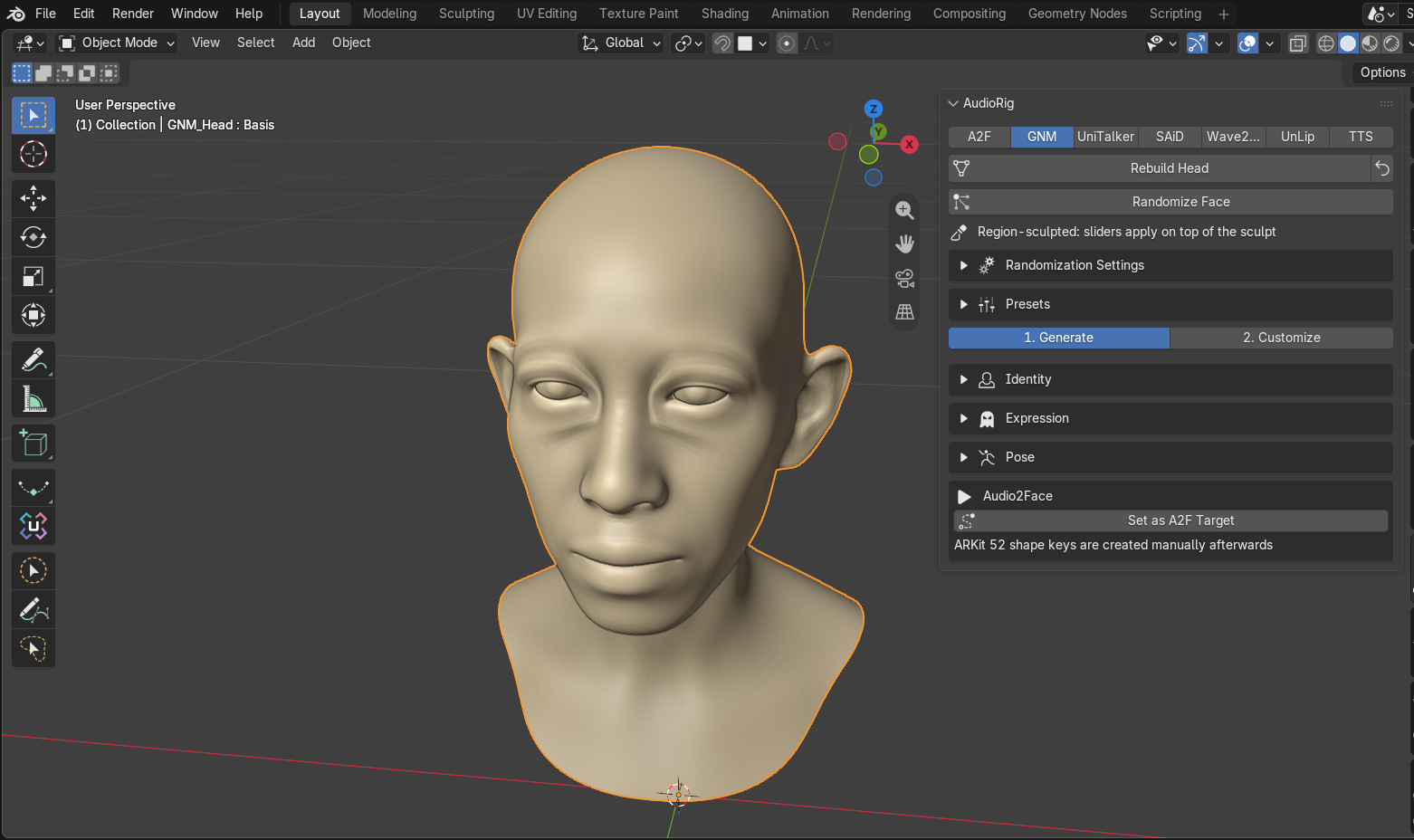
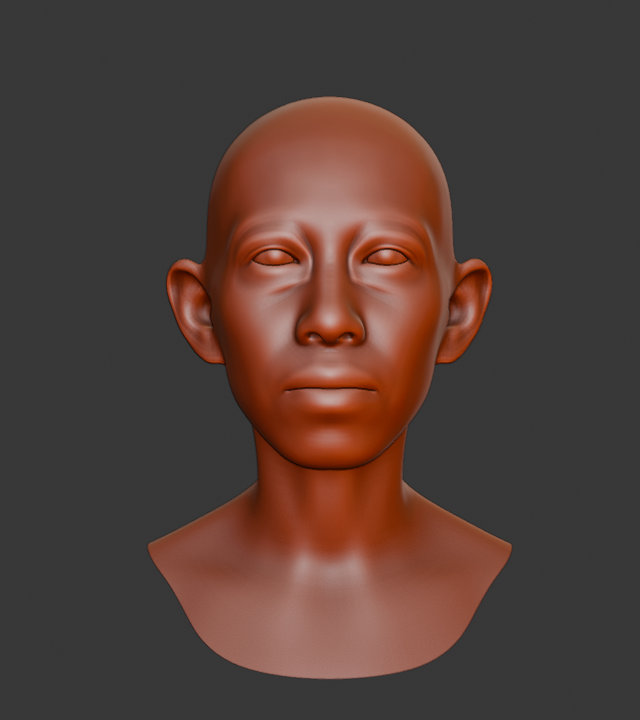
Generate anatomically complete heads β€” skin, eyes, teeth and tongue β€” with their own identity. Blend genders and ethnicities, sculpt region by region, pose with a ready rig, then send it to animation with one click.

  • Semantic identity & expression sampling
  • Region sculpt with live falloff
  • Presets with thumbnails β€” save and share your cast
  • Built on Google's GNM head model (Apache-2.0)
GNM generated head, front view, clay material
GNM generated head, three-quarter view, clay material
GNM generated head, profile view, clay material
The GNM tab in Blender with the Generate / Customize mode switch

Bring your own hero

Bring your own hero β€” we recommend Faceit.

AudioRig animates the industry-standard ARKit 52 shape key set. The fastest way to add them to your own character is Faceit: place landmarks, get a complete ARKit rig. Every talking head on this page was prepared that way.

Get Faceit

Use cases

Made for the way you work.

LIP-SYNC Β· LOCALIZATION Β· AVATARS Β· PREVIZ Β· RETARGETING Β· HYBRID MOCAP

Wherever characters need to talk, AudioRig saves the day. Tap a card to see how it fits your pipeline.

Game character with automatic lip-sync from recorded dialogue
Automatic facial animation

Generate lip movement and facial expressions from recorded dialogue for NPCs or cinematics. No manual facial mocap line by line.

Output is exported as blend shapes or clips that integrate into Unreal Engine, Unity, or a studio's proprietary engine.

Read moreGame character with automatic lip-sync from recorded dialogue

Game lip-sync

Character dubbed into multiple languages with consistent lip sync
Game localization

When a game is dubbed into multiple languages, regenerate facial animations automatically from the dubbed audio β€” no re-shooting mocap per language.

Lip sync stays consistent across every language without re-capturing actors. One audio file per take, one bake per language.

Read moreCharacter dubbed into multiple languages with consistent lip sync

Multi-language dubbing

Real-time digital avatar driven by voice for streaming
Streaming & customer service

Drive a 3D avatar's face live while it responds through voice β€” virtual assistants, digital receptionists, LLM-backed conversational NPCs.

Pre-bake dialogue segments for streaming. Emotional layer follows the tone of the read β€” excited, calm, dramatic.

Read moreReal-time digital avatar driven by voice for streaming

Real-time avatars

Previsualization character with draft facial animation from temp audio
Fast previsualization

Animators use AudioRig to generate a draft facial animation from a recorded script (temp audio), serving as an editable base before manual refinement.

Saves time in initial blocking. The animator gets a performance to react to, not a blank face staring back.

Read morePrevisualization character with draft facial animation from temp audio

Film previz

Multiple characters retargeted from a single audio source
One audio, many faces

The same audio clip applied to multiple facial meshes β€” different characters and creatures within the same scene or project.

Useful in productions with many secondary characters. Bake once, apply to the entire cast. Each head gets its own performance.

Read moreMultiple characters retargeted from a single audio source

Multi-character retargeting

Character with body mocap and Audio2Face facial animation merged
Mocap pipeline integration

Body mocap (captured traditionally) combined with facial animation generated by AudioRig. Merge both streams in Blender for the complete character.

No dedicated facial mocap session needed. Body from the stage, face from the voice β€” merged into one cohesive performance.

Read moreCharacter with body mocap and Audio2Face facial animation merged

Body + face hybrid

Before you buy

Check your rig first.

AudioRig needs Windows 10/11 (64-bit) and Blender 5.1.1 or newer. The flagship A2F engine also wants an NVIDIA GPU plus a one-time install of CUDA 12.9 and TensorRT 10.13.3.9 (free from NVIDIA β€” step-by-step in the docs). No NVIDIA GPU? UniTalker and SAiD animate the full face on any CPU, and the TTS and GNM tabs run everywhere too. On an Apple Silicon Mac the four CPU tabs (GNM, UniTalker, SAiD, Wave2ARKit) are theoretically functional but untested β€” macOS use is at the buyer's own risk; the A2F and TTS tabs are hidden there.

  • Windows 10/11 Β· 64-bit
  • Blender 5.1.1+
  • A2F engine: NVIDIA GPU (CUDA 12.9)
  • CPU engines & TTS: no GPU needed

Start making them talk.

AudioRig β€” single license

$20

USD, one-time purchase. One license, support included for the current major version.

  • One-click audio-to-face animation, baked as editable keyframes
  • 52-channel ARKit standard, works with split heads (eyes/teeth/tongue)
  • Audio2Emotion emotional layer, optional
  • GNM head generator: identity blending, region sculpt, presets, pose rig
  • TTS tab: write dialogue, get speech (MagPieTTS, 5 voices)
  • Any audio format Β· fully offline Β· GPU-accelerated, CPU engines included
Buy AudioRig

Full setup guide in the docs, and support answers within 48 h.

FAQ

Quick answers.

Does it work on macOS, Linux or AMD GPUs?

AudioRig is Windows-first. On an Apple Silicon Mac (arm64) four tabs β€” GNM, UniTalker, SAiD and Wave2ARKit β€” are theoretically functional through onnxruntime on the CPU, but they are untested on macOS: no guarantees, and macOS purchases are at the buyer’s own risk. The A2F and TTS tabs are Windows-only (they are hidden automatically on macOS). Linux and AMD GPUs are not supported. More in the docs β†’

Do I need to know what "shape keys" are?

Only that they are Blender's per-vertex morph targets β€” AudioRig writes animation onto the industry-standard ARKit 52 set. The fastest way to add that set to your own character is Faceit. More in the docs β†’

What audio formats are supported?

Anything Blender can read: mp3, wav, ogg, flac, m4a and more. AudioRig handles conversion internally, no prep work needed. No recording at hand? The TTS tab writes the dialogue for you. More in the docs β†’

Can I use my own character?

Yes β€” any mesh (or split head with separate eyes/teeth/tongue) that carries the ARKit 52 shape keys. The panel shows live coverage so you know exactly what your rig supports before generating. More in the docs β†’

Does it need an internet connection?

No. Everything ships inside the add-on β€” engines, models and voices included β€” and runs fully offline on your machine. Once the add-on is installed it never phones home: no cloud, no accounts, no per-minute fees, and your audio never leaves your workstation. More in the docs β†’

Where do the inference engines come from?

The A2F tab has a one-click, one-time Build step that compiles its bundled model into a TensorRT engine tuned to your exact GPU (rebuild only after a GPU or driver change). The UniTalker, SAiD and TTS engines need no build step at all β€” they run as shipped. More in the docs β†’

What about refunds and compatibility?

Check the requirements block above and the docs before purchasing β€” Windows is a hard requirement, and the A2F tab specifically needs an NVIDIA GPU with CUDA 12.9 and TensorRT 10.13.3.9. The CPU engines and the TTS tab have no GPU requirement. Refunds follow the marketplace policy. More in the docs β†’